Skip to content
recaplica

    One moment: security check

    Cloudflare wants to make sure you're not a robot. Tick the box below and your search will continue on its own.

    IT
    recaplica History of Linux: from Torvalds' Kernel to Distributions, Summary
    © 2026 Recaplica · recaplica.com — All rights reserved
    Home › Technology

    History of Linux: from Torvalds' Kernel to Distributions, Summary

    By Recaplica Newsroom · Updated on September 6, 2026

    What to print

    Page numbers appear when printing with default margins.

    Slides

    Choose a cut

    Flash10 slidesThe essential thread, to present in classFull18 slidesEvery chapter and the deeper detail

    Both come with speaker notes.

    Telegram channel
    recaplica Clear in 30 seconds, yours in 10 minutes.
    In 30 seconds Key points Figures Deep dive Slides Myths Mind map Quiz Flashcards FAQ

    In 30 seconds quick read

    Linux is a kernel, the core piece of software that lets a computer talk to its own hardware: it started in 1991 as the personal project of a Finnish student, Linus Torvalds. A kernel alone isn't enough to run a computer, though, it also needs system tools, most of which came from Richard Stallman's GNU project, launched in 1983. Putting those two pieces together produced complete operating systems, distributed in many different versions called distributions, from Debian to Ubuntu. The Linux kernel now sits at the base of most web servers, every single one of the world's fastest supercomputers, and, inside Android, billions of smartphones.

    Key Points

    • Linus Torvalds announced the project on 25 August 1991 on the comp.os.minix newsgroup, when he was 21 and studying computer science at the University of Helsinki.
    • Strictly speaking, "Linux" refers only to the kernel, the tools that complete it mostly come from Richard Stallman's GNU project, launched in 1983, hence the more accurate name "GNU/Linux".
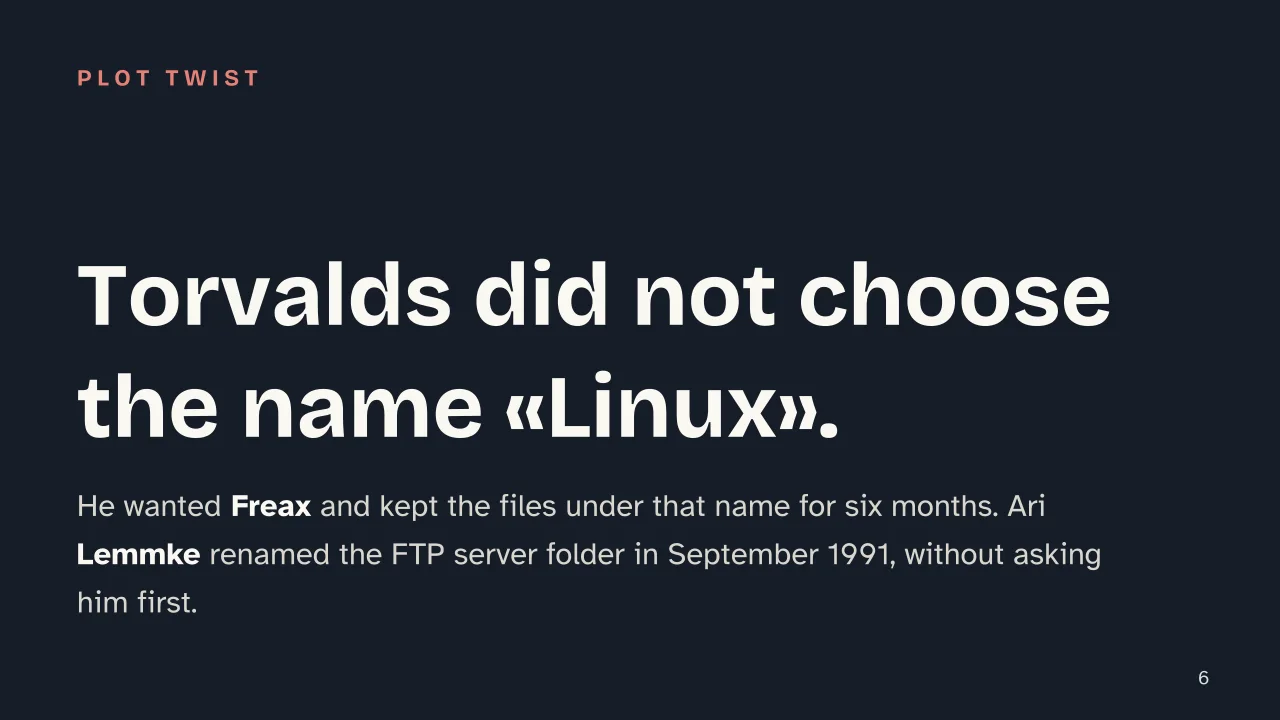
    • The name came about almost by accident, Torvalds wanted to call it "Freax", but it was Ari Lemmke who renamed the folder on the FTP server to "Linux" in September 1991.
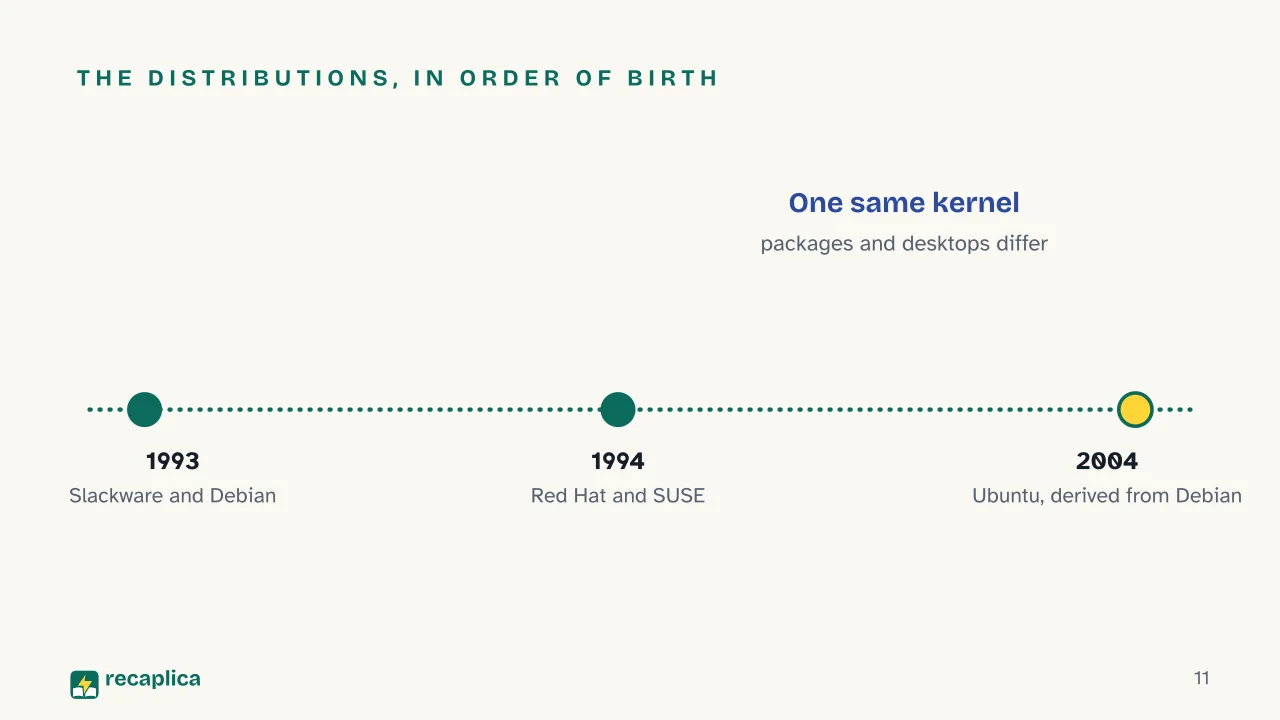
    • Distributions grew out of the kernel, complete packages such as Slackware and Debian (1993), Red Hat and SUSE (1994) and Ubuntu (2004), which bundle the kernel with package managers and graphical interfaces.
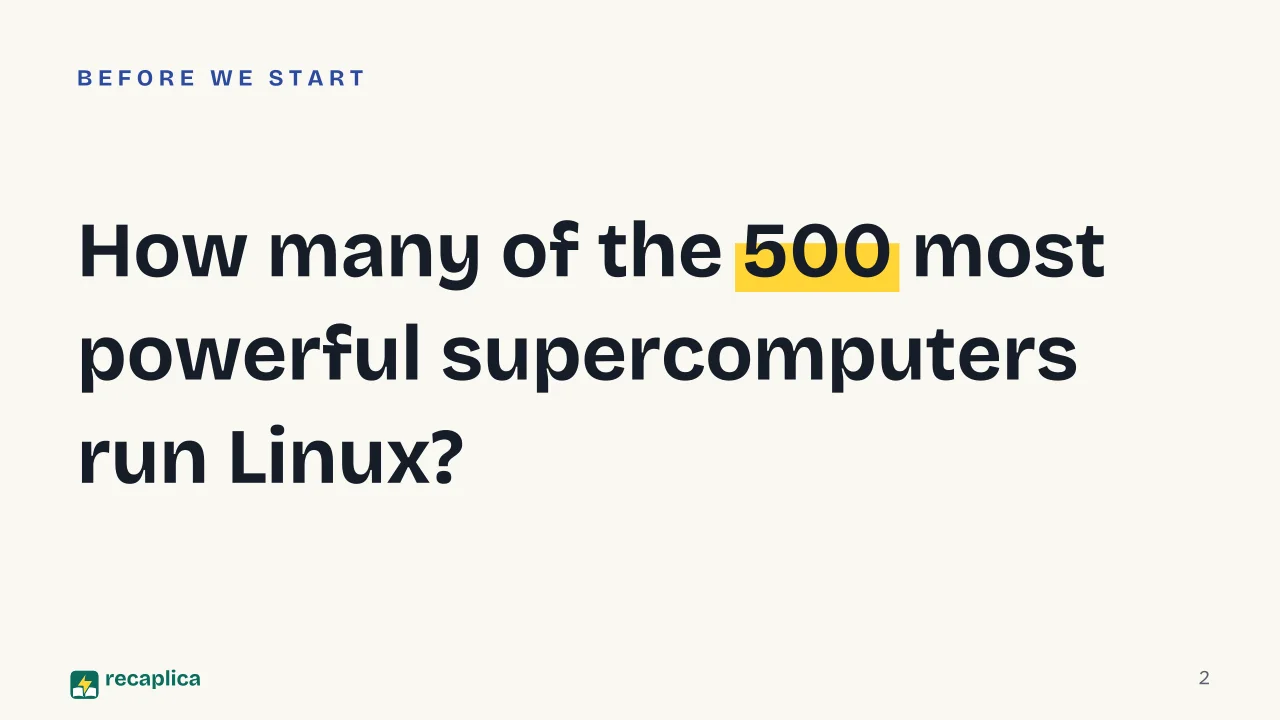
    • On the TOP500 list of the world's most powerful supercomputers, all 500 systems have run Linux since November 2017, a streak still intact in November 2024.
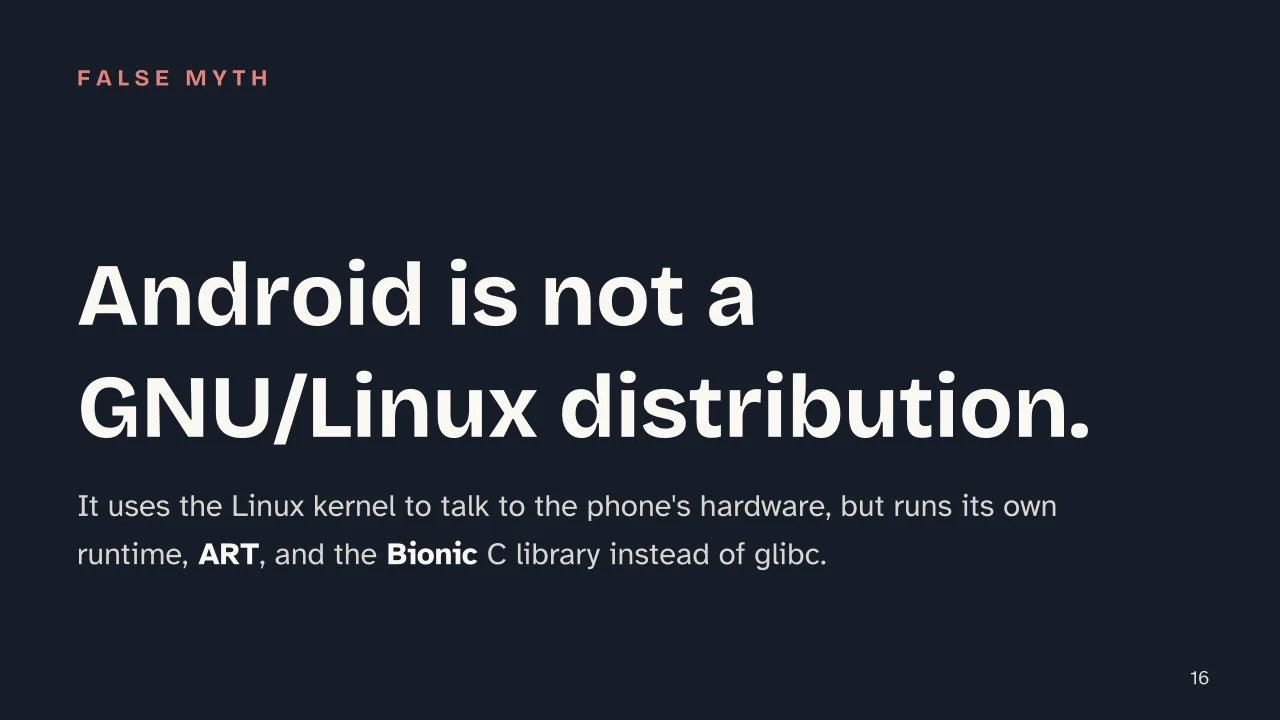
    • Android uses the Linux kernel but isn't a traditional GNU/Linux distribution, it has its own runtime (ART) and its own C library (Bionic instead of glibc).

    Key figures

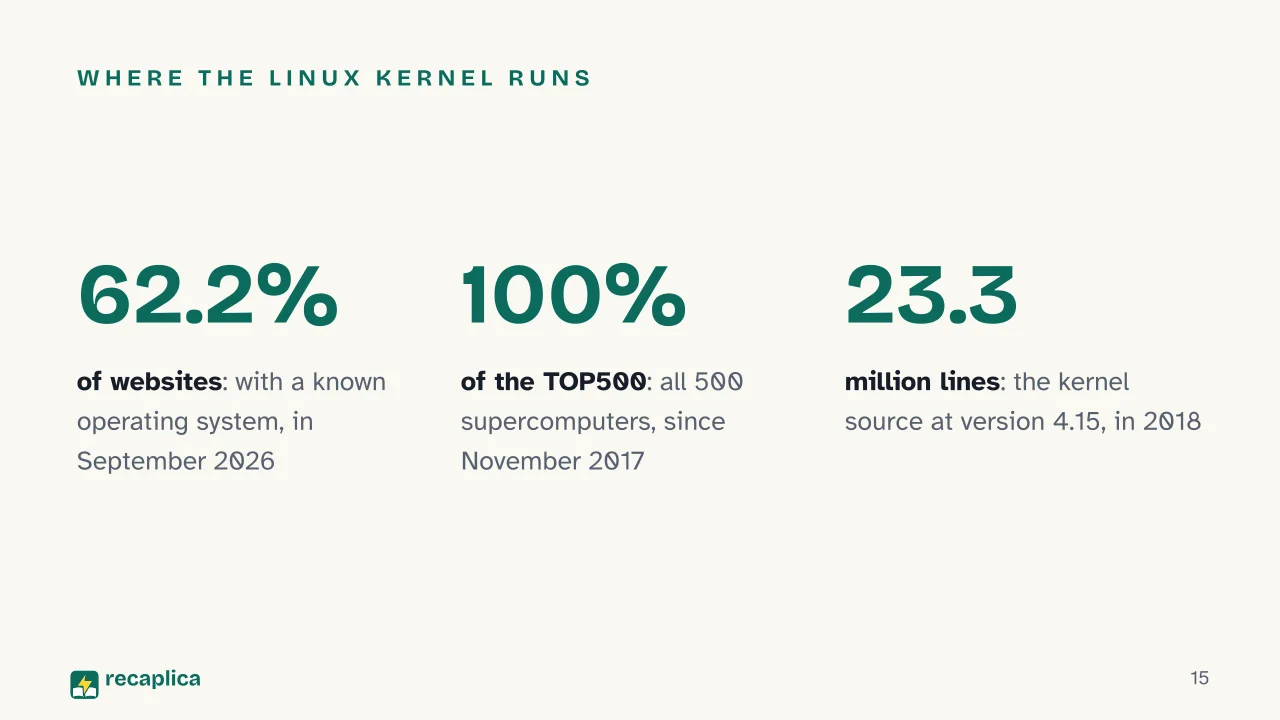
    • 100% of systems the share of TOP500-ranked supercomputers running Linux, steady from November 2017 through November 2024, a seventh consecutive year Source: TOP500, aggregated data via commandlinux.com
    • 62.2% the share of websites with a known operating system that, as of September 2026, ran on Linux Source: W3Techs, os-linux
    • 23.3 million lines the Linux kernel source code, comments excluded, at version 4.15 in 2018 Source: Wikipedia, History of Linux

    Deep Dive

    The origins: a student, a newsgroup and a name born by accident

    In 1991 Linus Torvalds was a computer science student at the University of Helsinki, in Finland. For his coursework he used MINIX, a small operating system designed for teaching, and it was from that base that he started writing a kernel of his own, the program that acts as the go-between for a computer and its hardware. He built it with help from the GNU C Compiler, but independently of the operating systems that already existed.

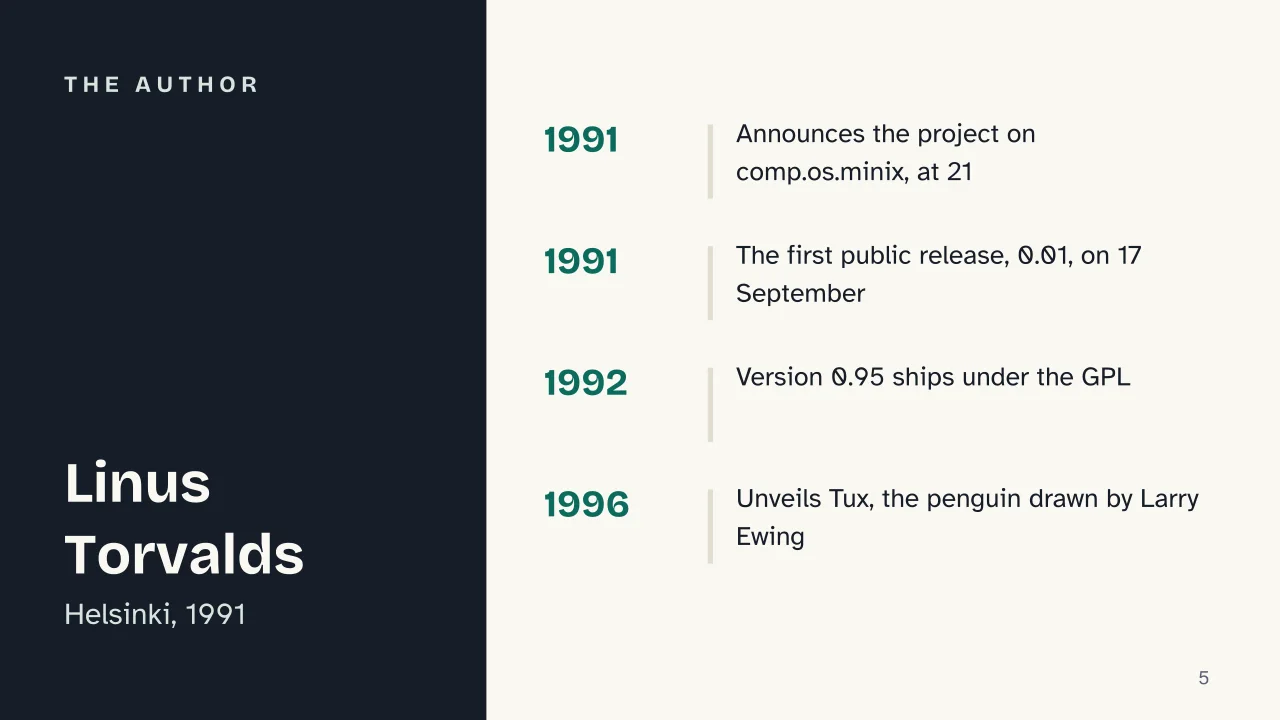
    On 25 August 1991, at 21, Torvalds announced the project on the comp.os.minix newsgroup, in a message that has become famous in computing history:

    “I’m doing a (free) operating system (just a hobby, won’t be big and professional like gnu) for 386(486) AT clones.”

    In that same post he noted that the kernel was “free of any minix code” and had a multi-threaded file system, though he warned that, in that first version, it wasn’t yet portable to other architectures. The first public release, version 0.01, followed shortly after, on 17 September 1991.

    The final name came about almost by accident. Torvalds wanted to call the project “Freax”, a blend of “free”, “freak” and “x”, and kept the files under that name for about six months; he had also considered “Linux”, but dropped it as too self-centered. It was Ari Lemmke, at the Helsinki University of Technology, who renamed the project’s folder on the FTP server to “Linux” in September 1991, without asking Torvalds first, who accepted the name after the fact. Five years later, in 1996, the mascot arrived too: Tux the penguin, drawn by Larry Ewing, inspired by a bite Torvalds got from a penguin during a visit to the National Zoo & Aquarium in Canberra, Australia. The name was suggested by James Hughes, as a play on “Torvalds’ UniX” and a nod to the color of a tuxedo.

    Just the kernel: why people also say GNU/Linux

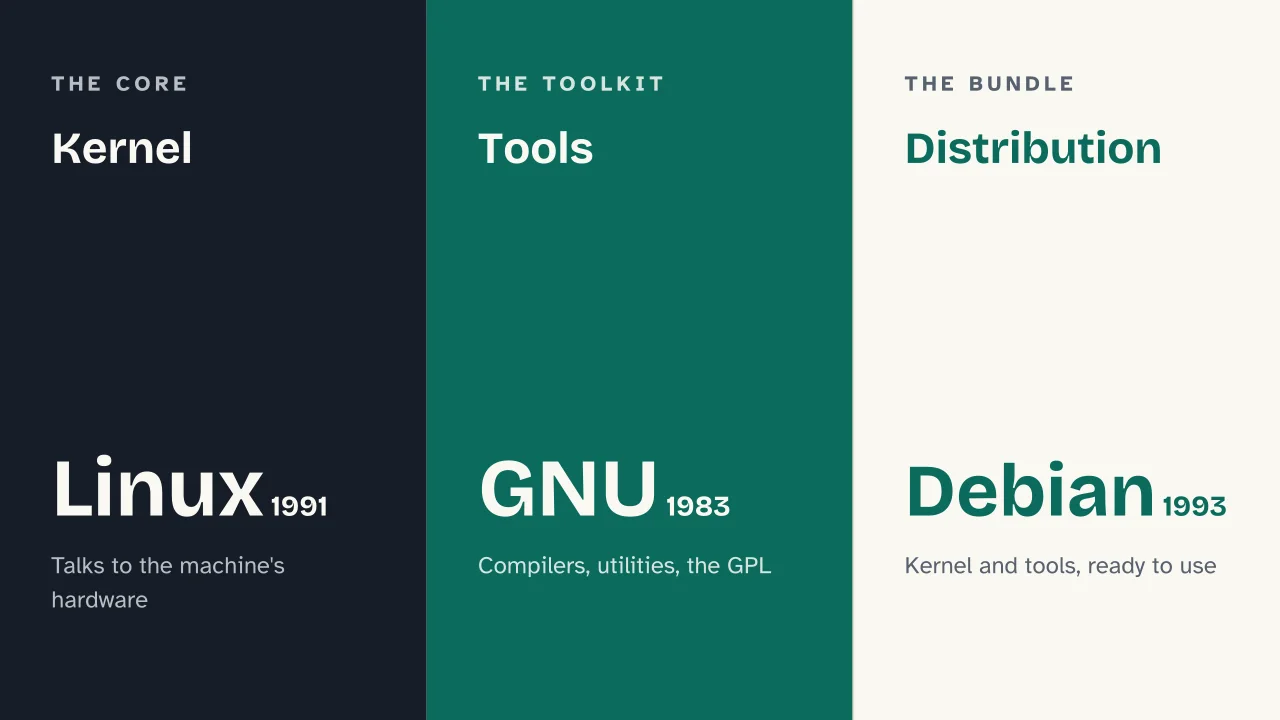
    This is where one of the most common mix-ups about this operating system comes from: “Linux”, strictly speaking, isn’t a complete system, just the kernel. A kernel alone doesn’t let you switch on a computer, open a program or browse the web, it also needs the whole set of tools around it, from compilers to basic utilities to the interfaces users actually interact with.

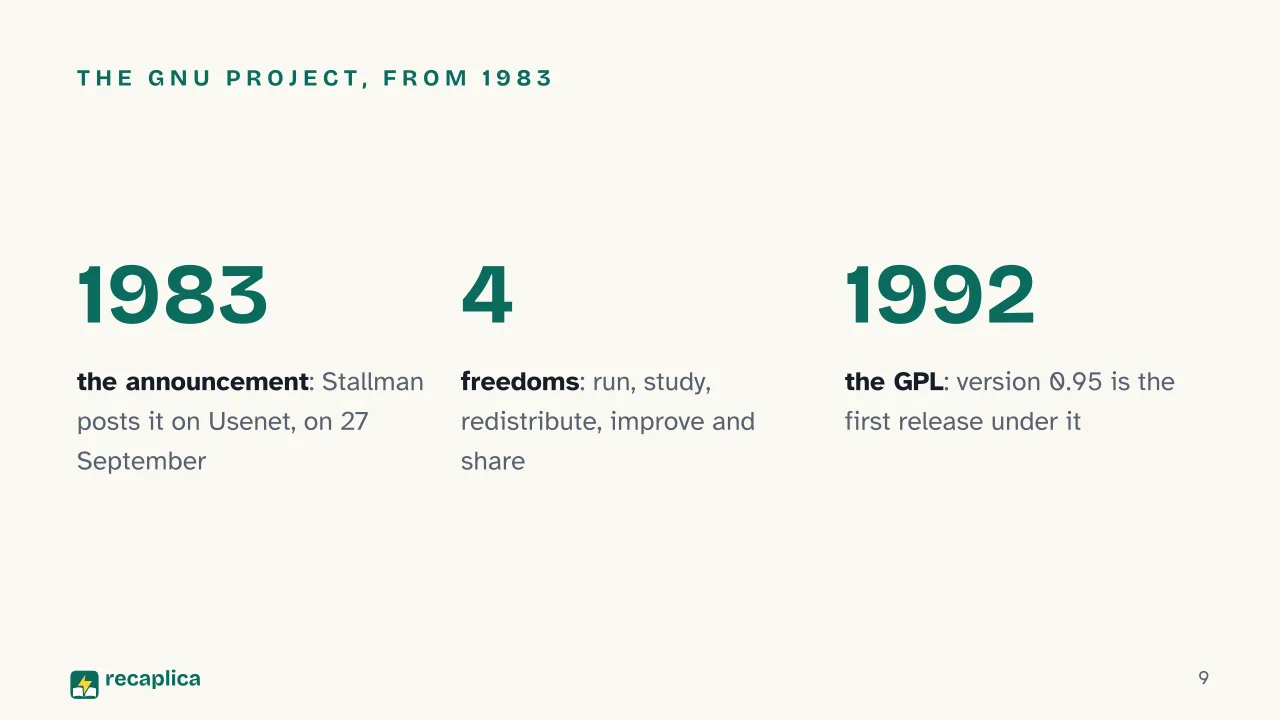
    Much of that toolkit comes from the GNU project, announced by Richard Stallman on 27 September 1983 on Usenet, with development starting in January 1984. Stallman’s goal was to build a Unix-compatible operating system that was entirely free, after an episode that had shaped his thinking in the late 1970s at MIT’s AI Lab: when the institute installed a printer with proprietary firmware, he couldn’t modify its code to fix a practical problem, and saw in that restriction a wider issue, not just a technical one. The GNU Manifesto listed four essential freedoms for anyone using a program: running it for any purpose, studying and changing how it works, redistributing copies, and improving it and sharing those improvements with others. To protect these freedoms, Stallman wrote the GNU General Public License, the GPL.

    When Torvalds’ kernel met the GNU tools, the result was the first entirely free, complete operating system. Torvalds announced that the GPL would take effect on 1 February 1992; version 0.95, from 7 March of that year, was the first release actually distributed under that license. He later called it “the best thing I ever did”. From there came the habit, born in projects like Debian, of calling the complete system “GNU/Linux” rather than simply “Linux”: a technical distinction more than a political one, useful for remembering where the pieces of the system really came from. It’s a different story from other operating systems born from the start as closed corporate products, as our piece on the history of Microsoft Windows explains.

    Distributions: one kernel, many different packages

    A kernel plus the GNU tools still isn’t quite what a user installs on their computer. It also takes a package manager, a boot system, often a graphical environment: that whole bundle of choices, packaged and ready to use, is called a distribution. Several were born starting in the early 1990s, each with its own priorities.

    DistributionYear foundedFeature
    Slackware1993The oldest surviving distribution
    Debian1993The largest community-based distribution
    Red Hat1994First 1.0 release
    SUSE1994First 1.0 release, developed in Germany
    Ubuntu2004Derived from Debian, built for ease of use
    openSUSE2005Community variant of SUSE, backed by Novell

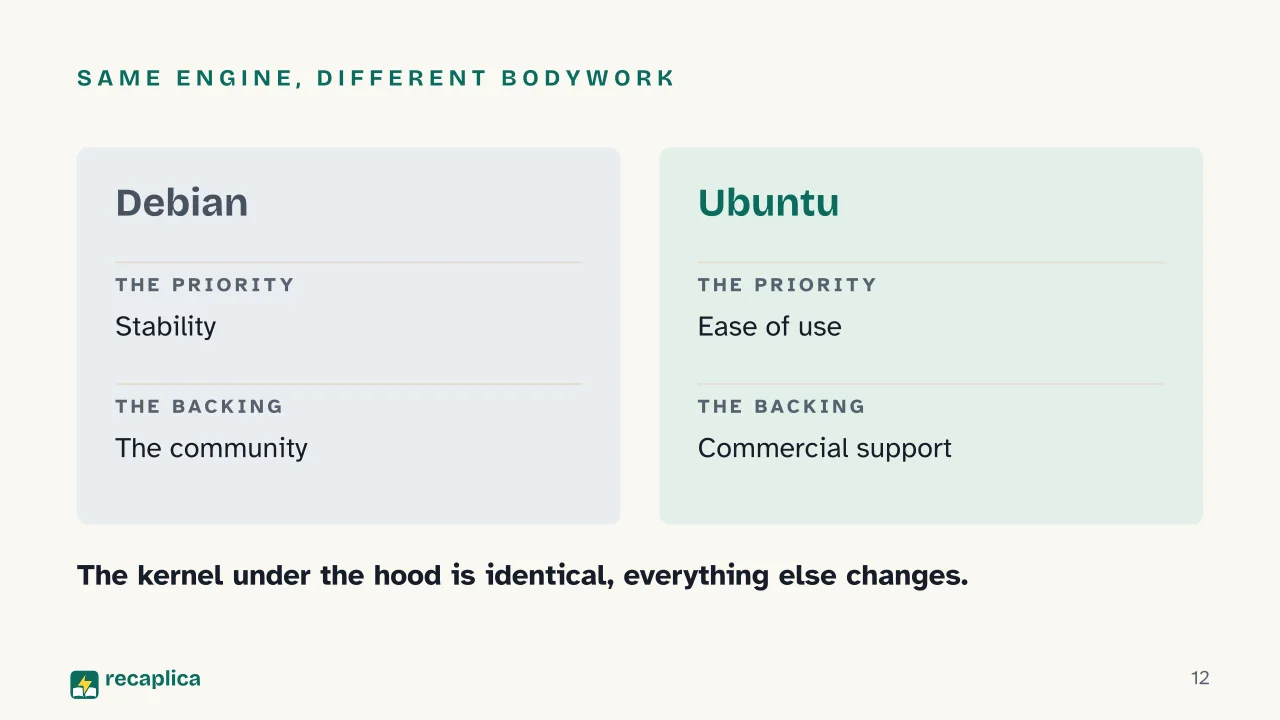
    Each distribution makes different choices on top of the same underlying material. Debian focuses on stability and community control; Ubuntu, which derives from it, focuses on easy installation and commercial support; Red Hat and SUSE targeted businesses from the start. The sense that “there are too many versions of Linux” is more apparent than real: they all share the same kernel, and picking one popular distribution doesn’t require knowing all the others. Choosing between two distributions, for that matter, echoes the choice people face between Windows, macOS and Linux as their computer’s operating system, a comparison we cover in our article on the differences between Windows, macOS and Linux.

    Practical example: picture having to pick a computer for a relative who isn’t tech-savvy, between two options with the exact same Linux kernel underneath: a “pure” Debian install, built for someone who wants to manage every package by hand, and a distribution like Ubuntu, which adds a graphical app center, preconfigured drivers and a guided setup that takes a few minutes on top of that same kernel. The engine, the kernel, is identical in both cases; what changes is everything else, that choice of packages, tools and interfaces that makes each distribution suited to a different kind of use, not unlike two cars sharing the same engine but with a completely different body, gearbox and dashboard.

    Where the Linux kernel runs: servers, supercomputers, phones

    As of September 2026, according to W3Techs tracking, Linux ran on 62.2% of websites with a known underlying operating system, and remained the dominant platform within the broader “Unix” category, which covered 92.0% of tracked sites. Sites running Linux included names such as Microsoft.com, X.com and The New York Times. Wikipedia’s entry on Linux distributions cites a similar estimate, around 64.5% of the web server market, without a precise date: rather than a contradiction between sources, it reflects different measurement methods. It’s a significant piece of the infrastructure behind the sites we visit every day.

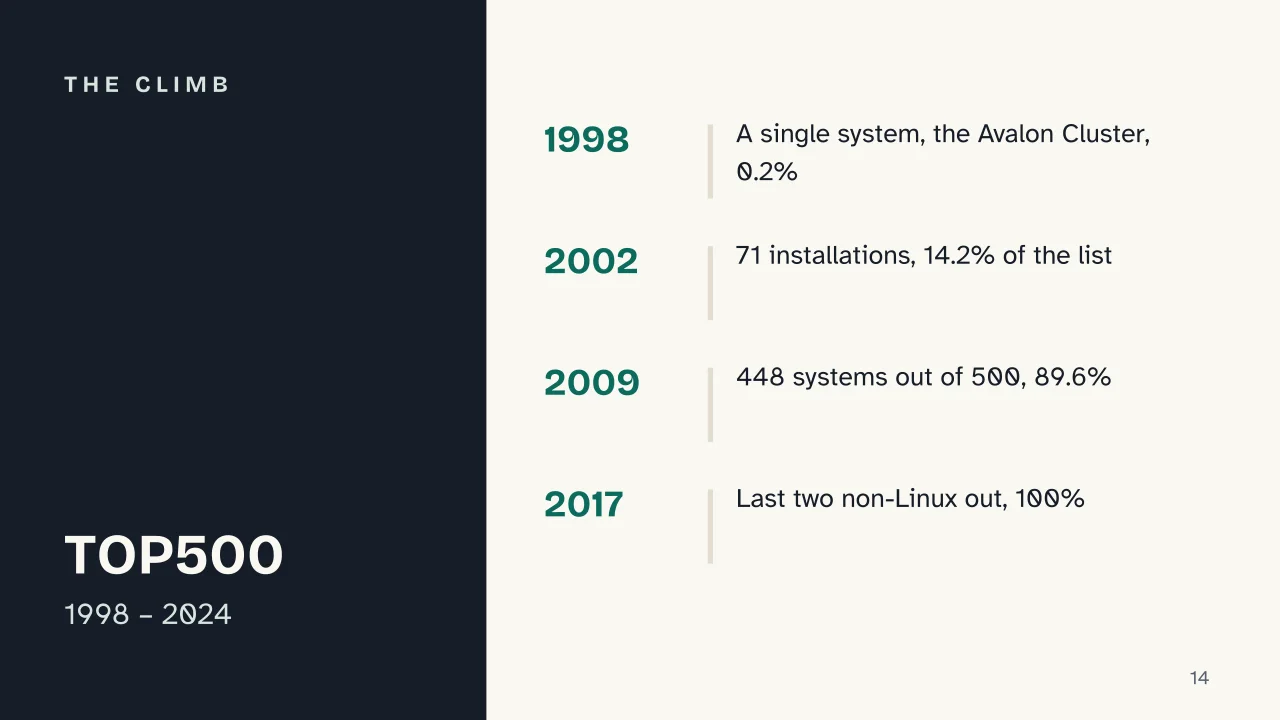
    On the supercomputer side, the growth has been even sharper. Linux first appeared on the TOP500 list in June 1998, with a single system, the Avalon Cluster, ranked 314th, just 0.2% of the total. By November 2002 it had reached 14.2%, with 71 installations; by November 2009, 89.6%, on 448 of the 500 systems, a 531% growth in Linux installations in just seven years. In November 2017 the last two non-Linux systems dropped off the list, pushing the share to 100%; by November 2024, for a seventh consecutive year, all 500 supercomputers on the list still ran Linux, including the three exascale systems from the US Department of Energy: El Capitan, Frontier and Aurora.

    Then there’s the particular case of Android. Google’s mobile operating system is built on the Linux kernel to talk to a phone’s hardware, but from there the path diverges from traditional GNU/Linux distributions: apps run on the Android Runtime (ART) instead of as ordinary compiled binaries, the C library is Bionic instead of the GNU C Library, and the Android framework relies on its own system services, like SurfaceFlinger, instead of the traditional Unix daemons. One reason Android and Linux sometimes get confused is precisely that shared origin in the kernel; market statistics, though, treat them as separate categories: according to Statcounter, as of August 2026 Android covered 67.61% of the worldwide mobile market, while “Linux” tracked as its own category stood at just 0.01%. Anyone who wants to dig deeper into their Android phone, beyond the standard interface, usually starts right there, by turning on the hidden developer options panel, one chapter among many in the history of computers.

    Slide deck

    Slides ready to download and make your own in PowerPoint or Google Slides, with speaker notes. Pick the Flash cut or the Full one.
    Slide 1 of the presentation on History of Linux: History of LinuxSlide 2 of the presentation on History of Linux: How many of the 500 most powerful supercomputers run Linux?Slide 3 of the presentation on History of Linux: What we will coverSlide 4 of the presentation on History of Linux: Chapter 01: A student and a newsgroupSlide 5 of the presentation on History of Linux: The authorSlide 6 of the presentation on History of Linux: Torvalds did not choose the name «Linux».Slide 7 of the presentation on History of Linux: Chapter 02: Just the kernel, then GNUSlide 8 of the presentation on History of Linux: Kernel · Tools · DistributionSlide 9 of the presentation on History of Linux: The GNU project, from 1983Slide 10 of the presentation on History of Linux: Chapter 03: Many distributionsSlide 11 of the presentation on History of Linux: The distributions, in order of birthSlide 12 of the presentation on History of Linux: Same engine, different bodyworkSlide 13 of the presentation on History of Linux: Chapter 04: Where it really runsSlide 14 of the presentation on History of Linux: The climbSlide 15 of the presentation on History of Linux: Where the Linux kernel runsSlide 16 of the presentation on History of Linux: Android is not a GNU/Linux distribution.Slide 17 of the presentation on History of Linux: Which distribution came first, in 1993?Slide 18 of the presentation on History of Linux: And now, the review
    Flash10 slidesThe essential thread, to present in classFull18 slidesEvery chapter and the deeper detail

    Common myths

    • ✗ Myth Linux is the entire operating system you install on a computer.

      ✓ Reality Strictly speaking, Linux is only the kernel, the program that acts as the go-between for a computer and its hardware. What you actually install is a distribution, which bundles the kernel with other components, package managers, system tools often from the GNU project, and graphical interfaces, to form a complete operating system, hence the more accurate name, "GNU/Linux".

    • ✗ Myth Android and Linux are the same thing.

      ✓ Reality Android uses the Linux kernel to talk to a phone's hardware, but beyond that it shares very little with traditional GNU/Linux distributions. It has its own app runtime (ART), its own C library (Bionic, instead of glibc) and its own Java and Kotlin API stack, while desktop and server distributions run programs compiled with the classic Unix toolchain directly.

    • ✗ Myth Linux is only for expert programmers and always requires the command line.

      ✓ Reality Modern desktop distributions have graphical interfaces with icons, menus and app centers, guided installers and thousands of ready-to-use programs, from LibreOffice to Firefox. The terminal remains a powerful, available tool, but it's a choice, not a requirement for everyday use.

    Mind map

    Drag the background to move around and the nodes to reposition them; use − and + to collapse and expand branches.
    Customize
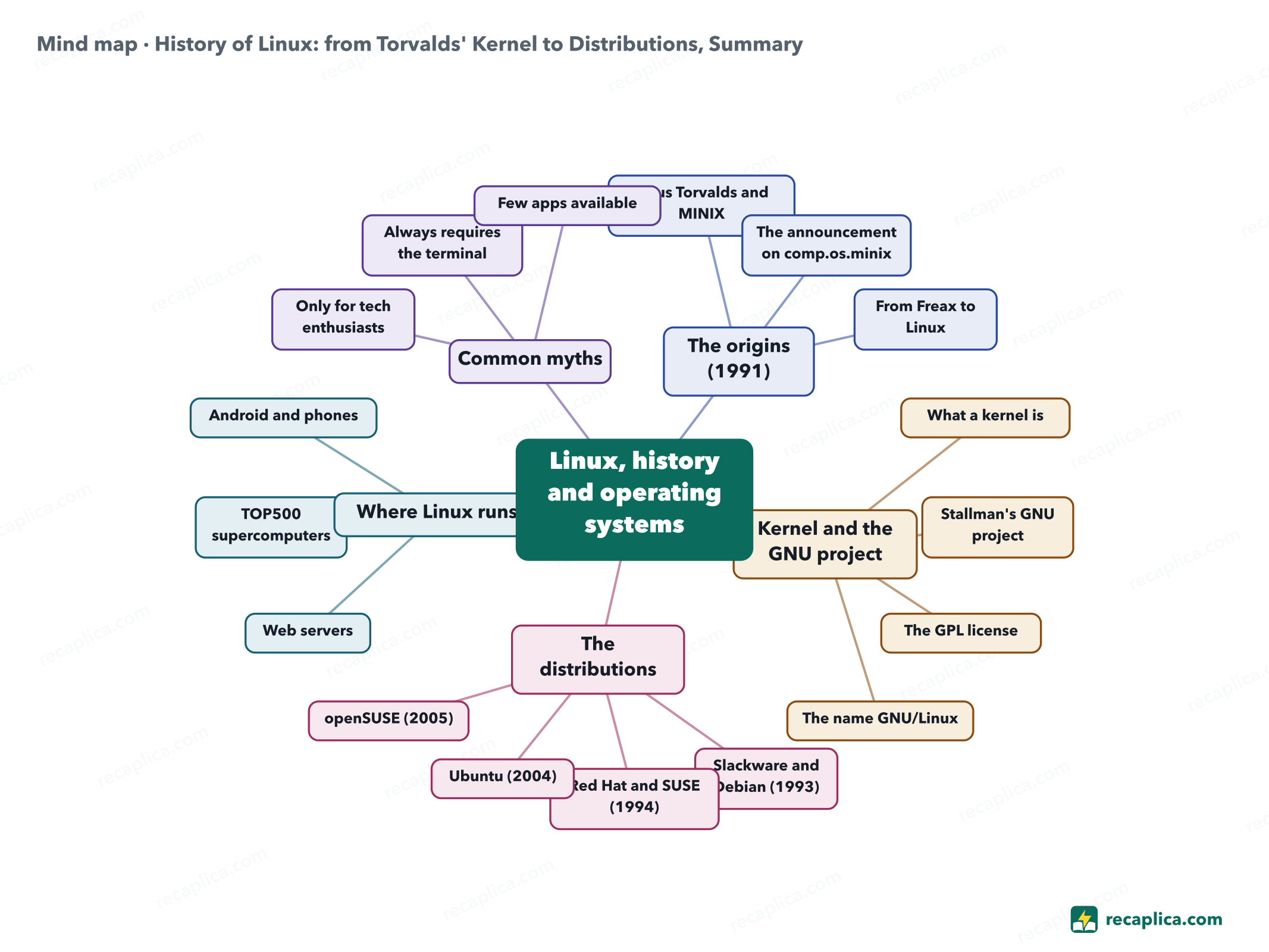
    Mind map: History of Linux: from Torvalds' Kernel to Distributions, Summary
    • Linux, history and operating systems
      • The origins (1991)
        • Linus Torvalds and MINIX A student in Helsinki, kernel written with the GNU C Compiler.
        • The announcement on comp.os.minix 25 August 1991, at age 21.
        • From Freax to Linux Renamed by Ari Lemmke on the FTP server.
      • Kernel and the GNU project
        • What a kernel is The core that talks to the hardware.
        • Stallman's GNU project Announced in 1983, four freedoms of software.
        • The GPL license Adopted by the Linux kernel in 1992.
        • The name GNU/Linux
      • The distributions
        • Slackware and Debian (1993)
        • Red Hat and SUSE (1994)
        • Ubuntu (2004) Derived from Debian.
        • openSUSE (2005)
      • Where Linux runs
        • Web servers Majority of sites with a known operating system.
        • TOP500 supercomputers All 500 systems since 2017.
        • Android and phones Same kernel, different application stack.
      • Common myths
        • Only for tech enthusiasts
        • Always requires the terminal
        • Few apps available

    Quiz: test yourself

    Answer the questions to check what you have learned: you get instant feedback and a short explanation.

    Grade 0/10 0/5
    1 On which newsgroup did Linus Torvalds first announce his project, on 25 August 1991?

    Torvalds posted the announcement on comp.os.minix, the newsgroup for the teaching operating system MINIX he was using as his development base. He was 21 and a student at the University of Helsinki.

    2 Strictly speaking, what is "Linux" really?

    Strictly speaking, Linux is only the kernel. The systems users actually install are properly called "distributions", because they combine the kernel with other components, many of them from the GNU project, hence the name "GNU/Linux".

    3 True or false: Linus Torvalds personally chose the name "Linux" for his own project.

    False. Torvalds preferred "Freax" and thought "Linux" sounded too self-centered; it was Ari Lemmke, at the Helsinki University of Technology, who renamed the FTP server folder to "Linux" in September 1991, without asking him first.

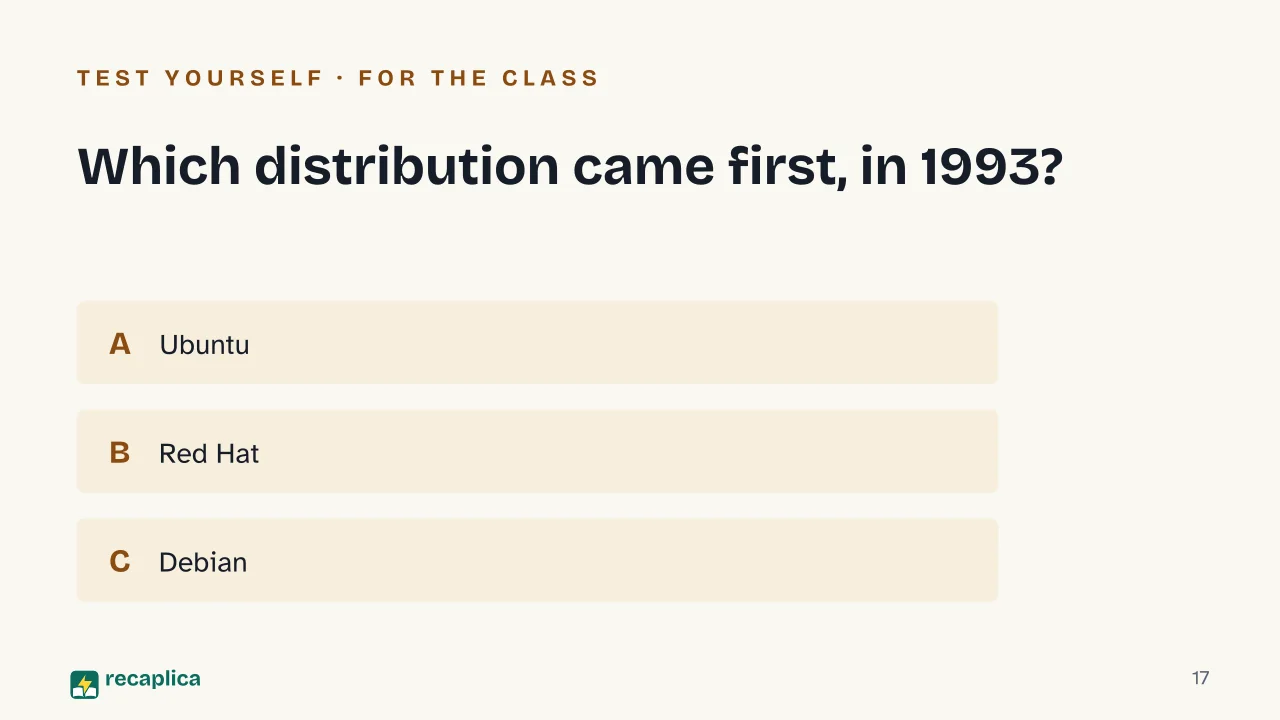
    4 Which of these distributions came first, in 1993?

    Debian was founded in 1993, alongside Slackware, the oldest surviving distribution. Red Hat and SUSE arrived in 1994 with their respective 1.0 releases, while Ubuntu, derived from Debian, only appeared in 2004.

    5 Why isn't Android, despite using the Linux kernel, considered a traditional GNU/Linux distribution?

    Android shares only the kernel with traditional GNU/Linux distributions. It runs its own Android Runtime (ART), uses the Bionic C library instead of the GNU C Library, and exposes a Java/Kotlin API stack rather than the command-line tools typical of GNU/Linux.

    Answers: 1-A · 2-B · 3-B · 4-C · 5-B

    Flashcards

    Tap the card to flip it and check whether you remember the answer, then move to the next one.

    1 / 8

    Explain it in your own words

    The ultimate test: if you can explain it in simple words, you've truly understood it. Write your explanation, then compare it with the Recap.

    Your explanation is saved only on this device.

    Linux is a kernel, the core piece of software that lets a computer talk to its own hardware: it started in 1991 as the personal project of a Finnish student, Linus Torvalds. A kernel alone isn't enough to run a computer, though, it also needs system tools, most of which came from Richard Stallman's GNU project, launched in 1983. Putting those two pieces together produced complete operating systems, distributed in many different versions called distributions, from Debian to Ubuntu. The Linux kernel now sits at the base of most web servers, every single one of the world's fastest supercomputers, and, inside Android, billions of smartphones.

    Frequently asked questions

    What is Linux, in a nutshell?

    It's a kernel, the program that acts as the go-between for a computer and its hardware, created in 1991 by Linus Torvalds. On its own it isn't enough to run a computer, when people say "using Linux" they usually mean a distribution, a complete operating system that bundles the Linux kernel with other tools, often from the GNU project.

    Who invented Linux?

    Linus Torvalds, then a computer science student at the University of Helsinki, who announced the project on 25 August 1991 on the comp.os.minix newsgroup, building it with help from the GNU C Compiler and using the teaching operating system MINIX as his starting point.

    What's the difference between one Linux distribution and another?

    All distributions share the same Linux kernel, but they differ in package managers, installation tools, default desktop and development priorities, Debian, for instance, focuses on stability, while Ubuntu, which derives from it, focuses on ease of use.

    Is Android a Linux system?

    Only partly. Android uses the Linux kernel to talk to the hardware, but shares very little else with traditional GNU/Linux distributions, it has its own runtime (ART), a different C library (Bionic) and its own app stack built on Java and Kotlin.

    Do you need to know the terminal to use Linux?

    No. Modern desktop distributions offer a guided installer, a graphical app center, and the option to change almost every setting with the mouse; the terminal is still there for anyone who prefers it, but it isn't required for everyday use.

    Sources

    • History of Linux (Wikipedia)
    • kernel.org
    • GNU Project (Wikipedia)
    • Linux distribution (Wikipedia)
    • TOP500, Linux statistics in supercomputers (via commandlinux.com)
    • Android Open Source Project, Android architecture
    • W3Techs, Linux market share as a server operating system
    • Statcounter Global Stats, mobile operating system market share
    • 13 Common Linux Myths Debunked (OSTechNix)

    Every Recap goes through an independent review before publication.

    Every evening, the day's new Recaps on our Telegram channel. Join the channel →

    Keep learning

    • Technology ASCII Table: What Is It? The ASCII table assigns a fixed number to every letter, digit, punctuation mark, and keyboard control command, so that a computer, which only handles numbers, can represent text. Published in 1963 by the ANSI X3.4 committee and adopted for U.S. federal computers in 1968, it uses 7 bits and covers 128 characters, almost all of them from the English alphabet, according to the IEEE's Engineering and Technology History Wiki. RFC 20 shows how those 7 bits fit neatly inside an 8-bit byte, with the highest bit left unused; putting that extra bit to work opens up more combinations, the basis for the variants known as Extended ASCII. Because it only covers English, though, standard ASCII falls short for languages with accents, ideograms, or other alphabets — a gap Unicode was built to close. Read the Recap →
    • Technology Binary Code: What It Is and How Computers Write Numbers Binary code is how a computer represents numbers using only two digits, 0 and 1. The reason is physical: a computer's circuits reliably tell apart only two electrical states, current off or current on, and we label them 0 and 1 for convenience. Just like the decimal system, each digit's value depends on its position, but here positions are worth powers of two instead of powers of ten: the number 101 works out to (1×4)+(0×2)+(1×1), which is 5. Eight of these digits together form a byte, the unit a computer typically uses to hold one number. Binary alone covers numbers; writing letters needs an extra convention, such as ASCII or Unicode, covered in their own Recaps. Read the Recap →
    • Technology Unicode: What Is It? How It Replaced ASCII Unicode is the standard that gives a unique number, called a code point, to every character in every written language. It replaced ASCII, the 1963 code whose 128 characters covered only the English alphabet, with no accents and no other scripts. Text online travels almost always as UTF-8, one of the forms Unicode uses to turn those numbers into bytes, and it's backward compatible: a file written purely in ASCII is already valid UTF-8. Version 18.0 of the standard, published in September 2026, covers 172,808 characters. Read the Recap →

    recaplica

    Clear in 30 seconds, yours in 10 minutes.

    Recaps Mind maps Request a Recap Telegram channel Mind map maker Our method About Privacy & cookies Legal notes & terms of use

    © 2026 Recaplica · A project by Curi S.r.l. — VAT IT05472000750

    Statistics, only if you say so

    To learn which Recaps help most we would use Google Analytics, with aggregate, anonymous data. It starts only with your OK, and you can change your mind anytime. Privacy policy