|
recaplica
Smartphone Battery Life: How to Make It Last Longer | ||||||||||||||||||
| © 2026 Recaplica · recaplica.com — All rights reserved | ||||||||||||||||||
Smartphone Battery Life: How to Make It Last LongerWhat to print Page numbers appear when printing with default margins. SlidesChoose a cut Flash10 slidesThe essential thread, to present in classFull15 slidesEvery chapter and the deeper detailBoth come with speaker notes. In 30 seconds quick readA phone battery wears out gradually with use, it doesn't fail all at once: every full charge counts as one cycle, and the capacity it can hold drops a little with each one. Heat is the real culprit, and it damages the battery permanently in a way cold never does. Topping up often, instead of waiting for the battery to hit zero, helps it last longer, and modern phones already manage charging for you in the background. Not every tip that circulates online holds up, either — closing apps manually does far less than most people assume. Key Points
Deep DiveWhat counts as a charge cycleApple defines a charge cycle as using an amount of energy equal to 100% of the battery’s capacity — not necessarily in one sitting: several partial top-ups, even on different days, can add up together to form one cycle. It’s the unit Apple uses to track how much a battery has worn down over time. The thresholds that mark a battery’s ageApple states that iPhone 14 batteries, and those of earlier models, are designed to hold 80% of their original capacity after 500 complete charge cycles, under ideal conditions; on the iPhone 15 that threshold rises to 1000 cycles. These are design specifications, not absolute guarantees — the phrase “ideal conditions” leaves room for how a battery actually behaves in daily use.
Why heat damages a batteryBattery University, the technical resource run by Cadex Electronics, explains that lithium batteries suffer under thermal stress and that high temperatures speed up permanent capacity loss. Apple recommends an ideal operating range of 16 to 22°C; past 35°C, keeping a phone powered on or on the charger risks leaving damage that never fully heals. The effect shows up clearly in long-term storage data: a battery charged to 40% and stored at 0°C keeps 98% of its capacity after a year, while the same charge level at 40°C keeps only 85%; at 60°C the drop reaches 75% within a year. Cold works differently: Apple notes a higher risk of an unexpected shutdown when the charge is already low, not a permanent loss of capacity.
Storing a phone for monthsFor long-term storage, Apple recommends keeping a phone at half charge, rather than full or empty. Anyone with a home battery storage system applies the same principle to the large-format lithium-ion batteries involved, as covered in the Recap on solar panel systems: the chemistry is the same, only the scale changes. Everyday charging habitsBattery University measures how many cycles a battery delivers, before capacity drops to 70% of the original, depending on the depth of discharge (DoD) applied at each recharge, for the NMC chemistry typical of smartphones:
The numbers explain the advantage of partial charging: available cycles climb as the discharge depth shrinks, because lithium batteries have no “memory effect” and short top-ups don’t train them to perform worse. It’s a different threshold from the one Apple uses for 80% capacity, so the two sets of numbers aren’t directly comparable. The software features that helpStarting with iOS 11.3, an iPhone periodically checks how much performance management it needs to avoid unexpected shutdowns, and scales it back if the battery can handle the peak demand the system observes. Optimized Battery Charging, on by default, learns a user’s charging routine and delays the finish past 80% until shortly before the phone is usually unplugged. iPhone 15 and later models also offer Charge Limit, a fixed threshold adjustable between 80% and 100% in 5% steps; earlier models only have Optimized Battery Charging. Google offers a similar feature on Pixel phones from the 6a generation onward, with a “Limit to 80%” option aimed at anyone who typically ends the day with charge to spare. Anyone traveling with a power bank to top up a phone mid-flight will find the same heat cautions in the Recap on carrying a power bank on a plane: the cabin safety rules come from the same lithium chemistry. Periodic calibrationGoogle explains that to keep the remaining-capacity reading accurate, a Pixel needs a full charge every 10 cycles, left on the charger for a good half hour past the moment the screen shows full. It doesn’t “restore” the battery — it recalibrates the software estimate, which otherwise drifts out of accuracy over time. Slide deckSlides ready to download and make your own in PowerPoint or Google Slides, with speaker notes. Pick the Flash cut or the Full one.     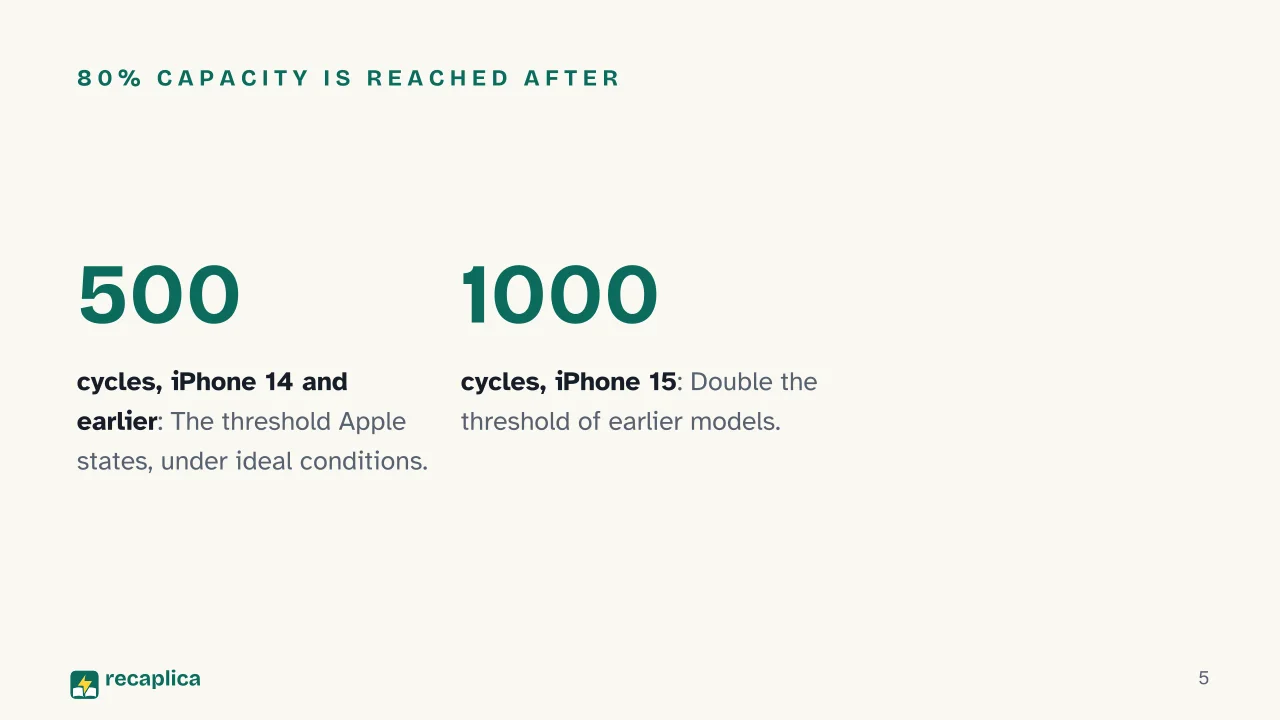 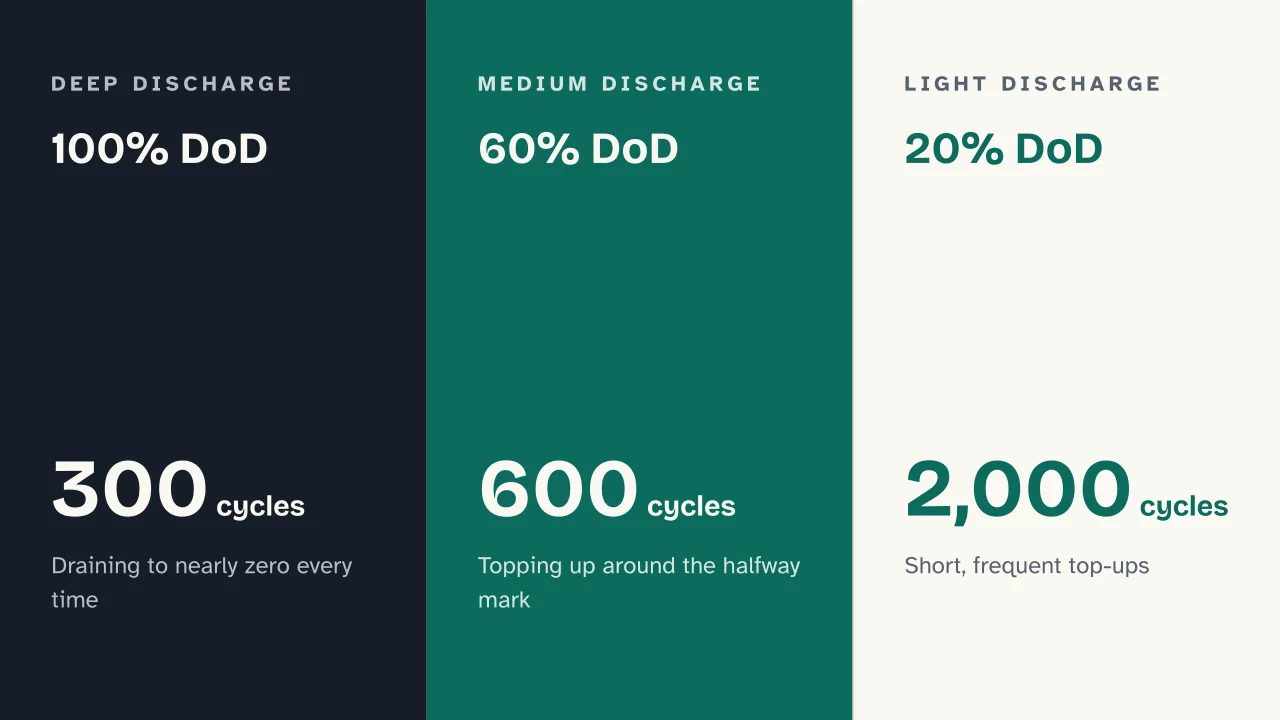  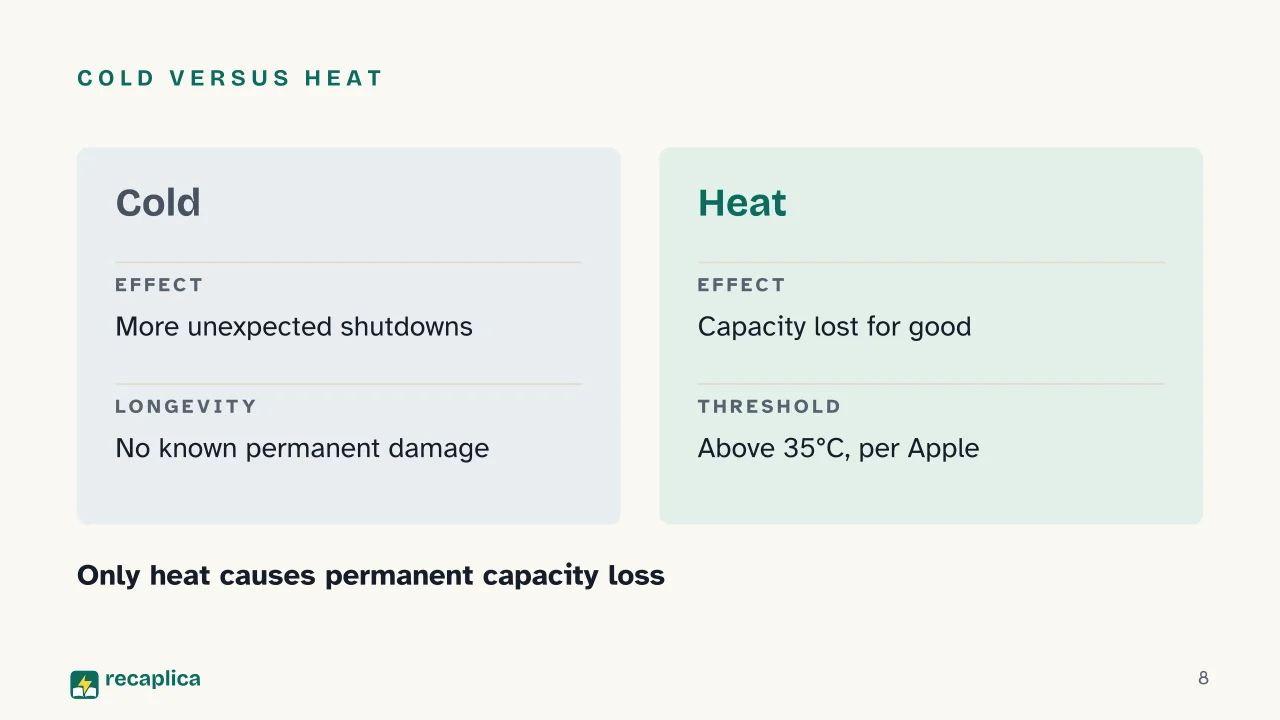 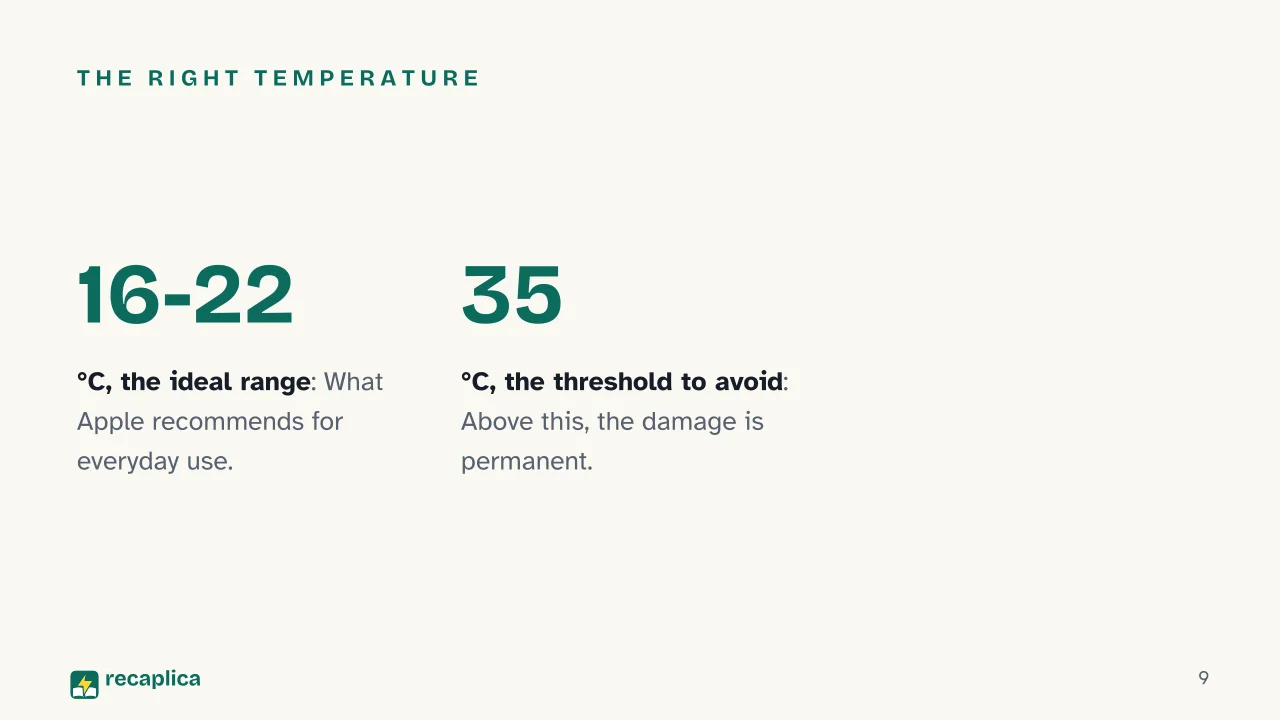  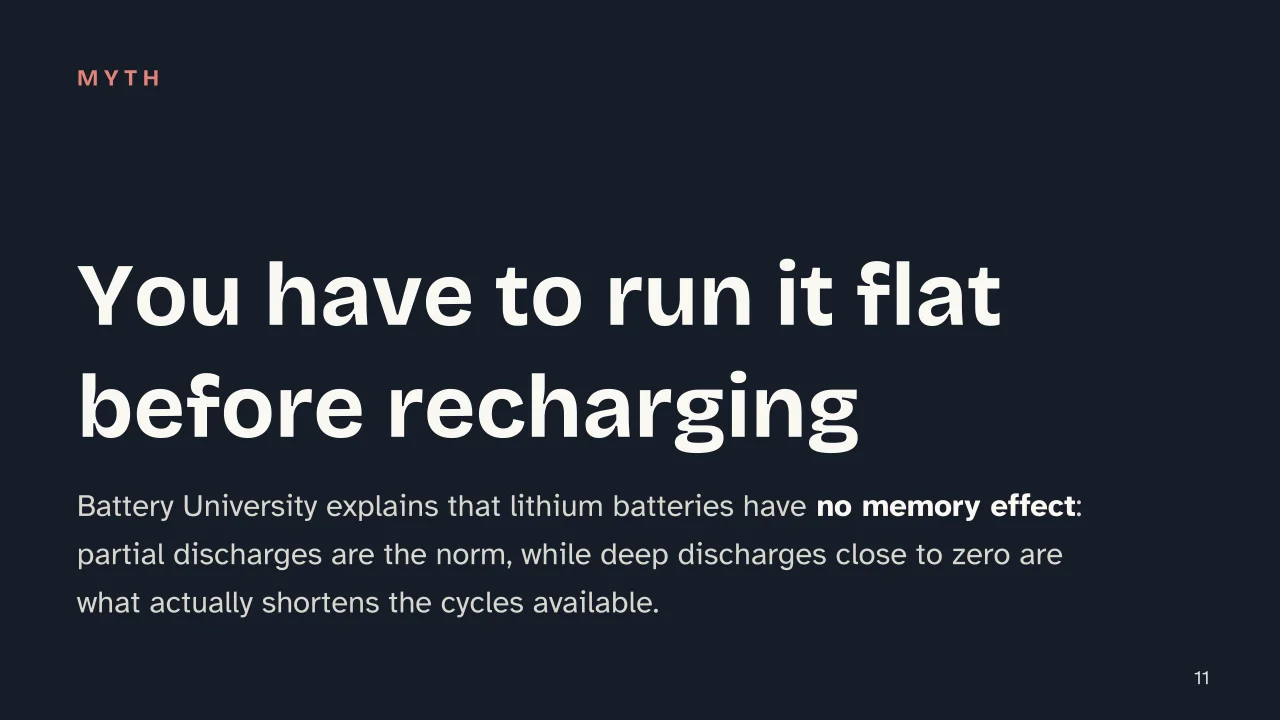  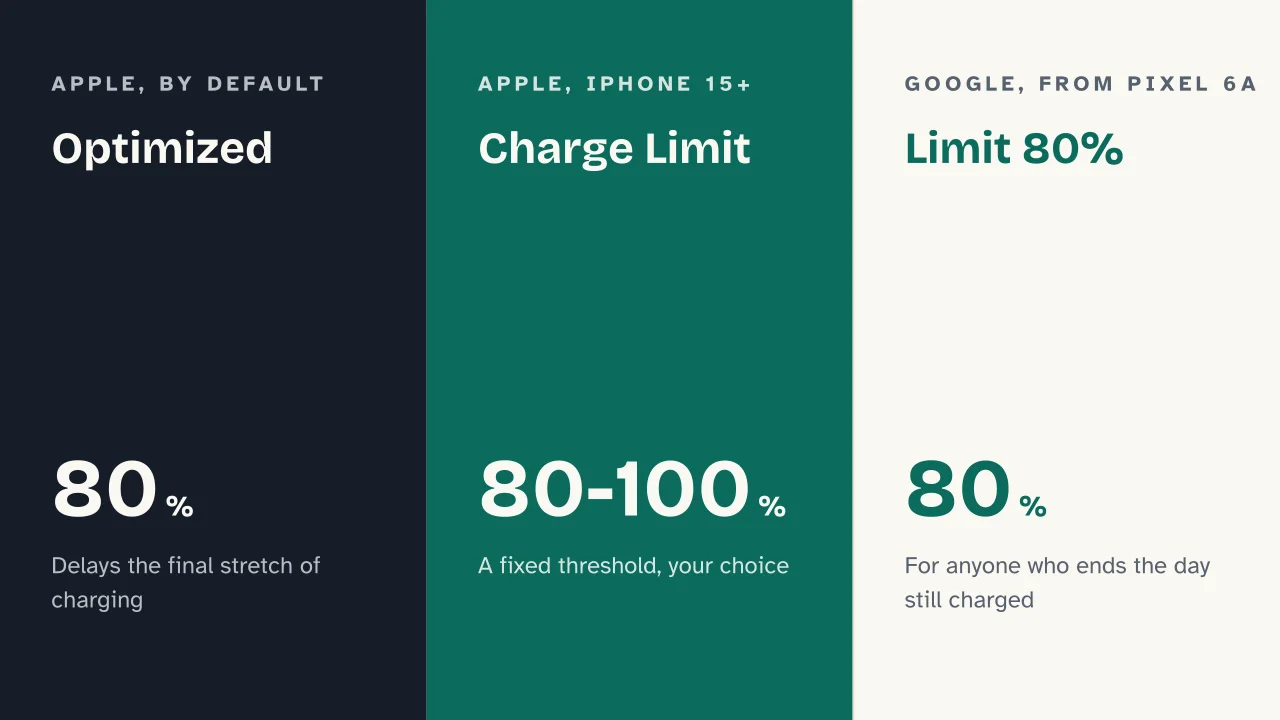 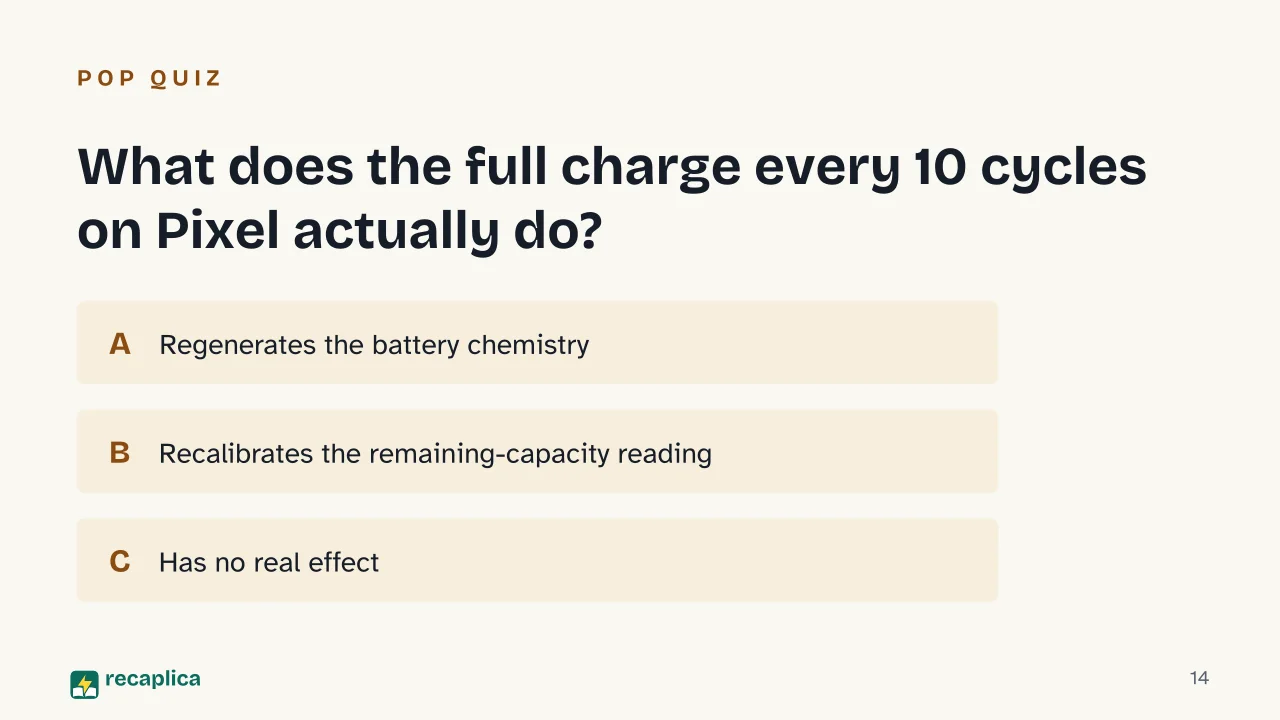  Common myths
Mind mapDrag the background to move around and the nodes to reposition them; use − and + to collapse and expand branches. 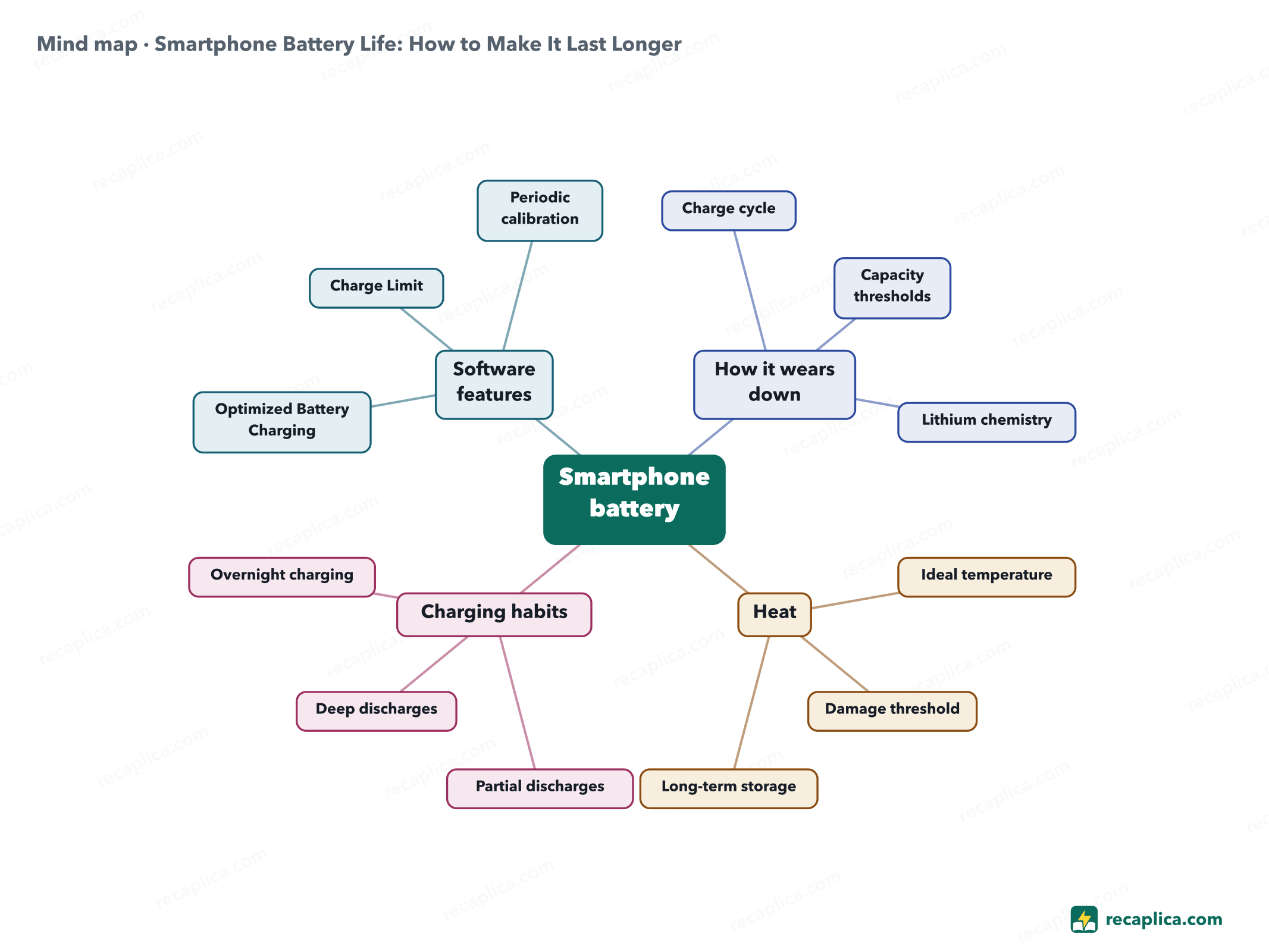
Quiz: test yourselfAnswer the questions to check what you have learned: you get instant feedback and a short explanation. Grade 0/10 0/5
FlashcardsTap the card to flip it and check whether you remember the answer, then move to the next one. 1 / 8 Explain it in your own wordsThe ultimate test: if you can explain it in simple words, you've truly understood it. Write your explanation, then compare it with the Recap. Your explanation is saved only on this device.
Frequently asked questionsCan a smartphone battery be replaced?Yes: Apple describes rechargeable batteries as consumable components with a limited lifespan that eventually need replacing. Is it worth turning on the 80% Charge Limit?It depends on how you use the phone: on iPhone 15 and later, or on Pixel from the 6a generation onward, capping charging at 80% cuts the time spent at full charge — handy if you charge overnight and don't need 100% first thing in the morning. Does closing background apps extend battery life?Google doesn't present this as a useful step: it recommends leaving automatic app optimization switched on rather than closing apps manually. Why does battery life seem to drop in cold weather?The apparent drop in cold weather comes from the unexpected shutdowns Apple links to low temperatures when the charge is already low, not from permanent battery damage. Every Recap goes through an independent review before publication. |